


Why Payroll Processing Software is Essential for Modern Businesses
Payroll processing software automates complex payroll tasks that traditionally consume hours of manual work. Here’s what you need to know:
Key Benefits:
- Automated calculations for wages, taxes, and deductions
- Tax compliance with federal, state, and local regulations
- Direct deposit and digital pay stub generation
- Time savings of 10+ hours per month on average
- Reduced errors through automation vs. manual processes
- Employee self-service for accessing pay information
Core Features:
- Tax withholding and filing automation
- Year-end reporting (W-2s, 1099s, T4s)
- Integration with time tracking systems
- Benefits administration
- Compliance monitoring and alerts
As one business owner shared: “Payroll used to take at least one full day per month. We’re able to run payroll bi-weekly now, which takes us less than an hour each month.”
The shift from manual to automated systems is about more than efficiency—it’s about reducing costly mistakes, ensuring compliance, and freeing up time to grow your business. Modern software handles everything from overtime calculations to tax filings, while giving employees self-service access to their pay information.
I’m Michael J. Spitz. With over 15 years in corporate accounting, I’ve seen how payroll processing software transforms businesses by eliminating manual errors and streamlining complex calculations. My expertise in payroll and financial planning helps businesses open up the full potential of these automated systems.
Understanding the Core Features of Payroll Processing Software
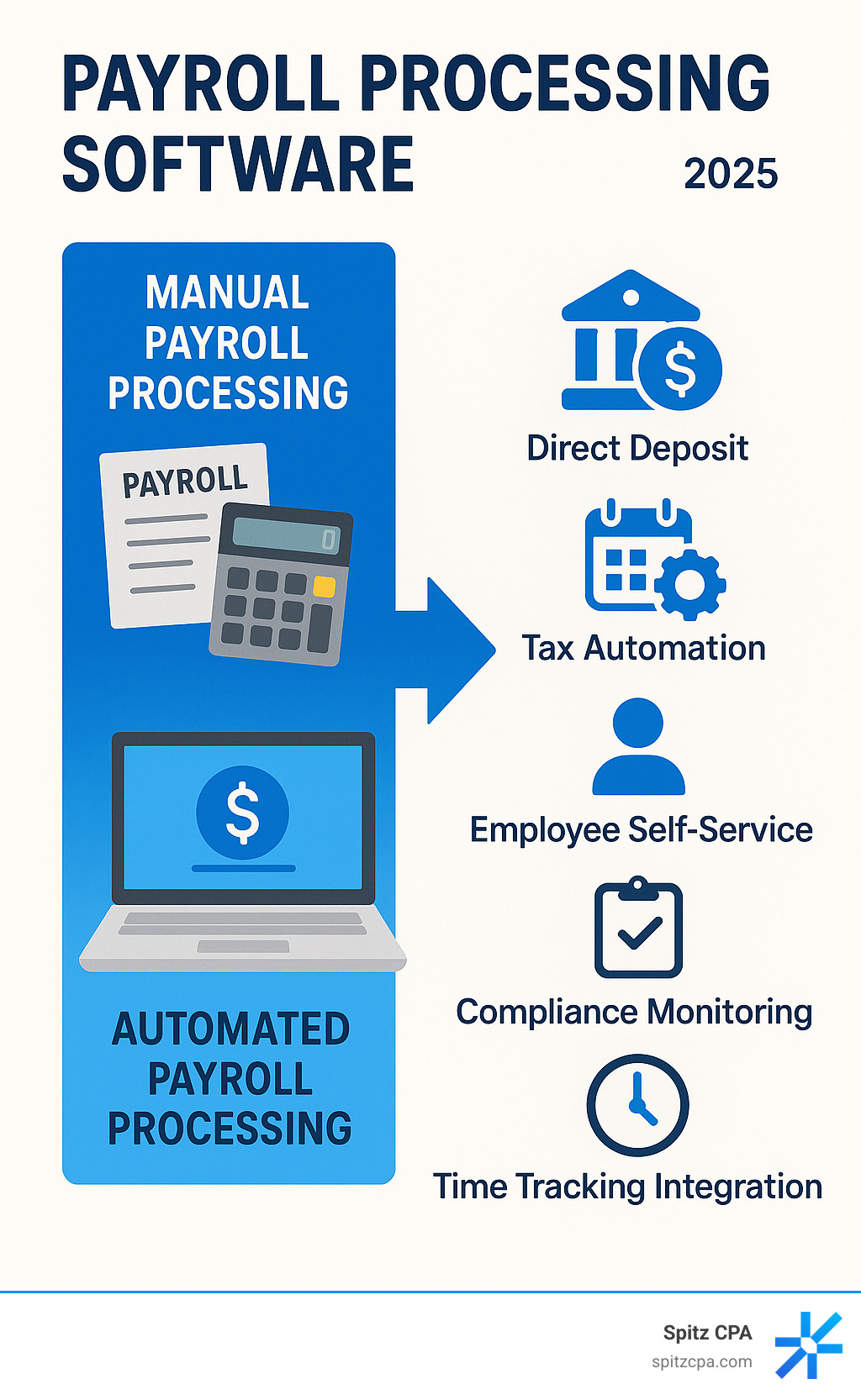
Think of payroll processing software as a dedicated assistant. Instead of wrestling with spreadsheets, you get a streamlined system that handles the heavy lifting.
The real game-changer is automated calculations. The software crunches numbers for wages, overtime, commissions, and tricky deductions like health insurance and retirement contributions, eliminating late-night math checks and worries about misplaced decimals.
Tax withholding becomes simple. The system automatically calculates federal, state, and local tax deductions, plus employment insurance and pension plan contributions for both US and Canadian businesses.
Direct deposit means you can say goodbye to printing checks. Employees get paid promptly and securely, often within one or two business days.
Your team will appreciate having digital pay stubs they can access anytime from their phone or computer, with a clear breakdown of earnings and deductions. No more reprinting lost statements.
Come tax season, year-end reporting becomes almost effortless. The software generates W-2s, 1099s, and T4s automatically, and many systems even handle e-filing for you.
What really matters is the time savings: businesses typically save over 10 hours per month with automated payroll. Some of our clients have cut their payroll time by 90%, freeing them to focus on running their business.
For a deeper dive into avoiding common payroll pitfalls, check out our guide on how to do payroll and avoid mistakes.
Automating Key Payroll and HR Tasks
Modern payroll processing software has grown beyond just cutting checks to become an all-in-one HR companion.
Time tracking integration syncs automatically with time clocks and tracking apps, pulling in regular hours, overtime, and time off. Some systems even use GPS tracking for field employees, ensuring billable hours are captured accurately without manual input.
PTO management removes the guesswork from vacation planning. The system automatically tracks accruals, handles requests, and manages approvals, preventing scheduling chaos from last-minute time-off requests.
Benefits administration gets simpler when connected to payroll. The software manages health insurance deductions and retirement contributions seamlessly, keeping track of all deductions even if a third-party provider handles the benefits.
Employee onboarding becomes a breeze with self-service. New hires can enter their own personal details, tax forms, and direct deposit info, saving your HR team hours of data entry and reducing typos.
The Power of Employee Self-Service
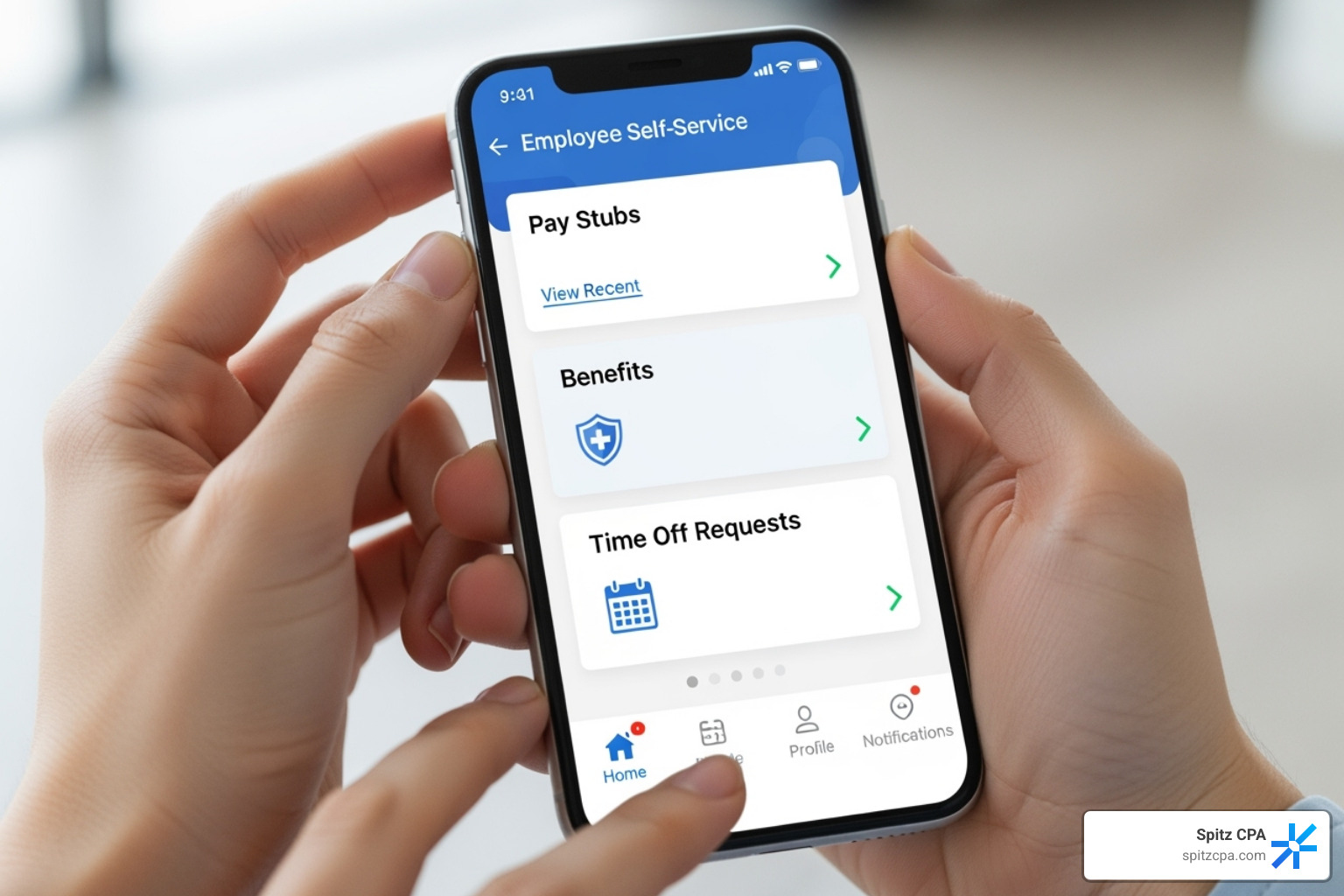
Employee self-service portals give your team members control over their own payroll information, which provides a welcome sense of independence.
Through a secure portal or mobile app, employees can access their pay stubs 24/7. No more interrupting your day with requests for reprints.
Viewing tax forms like W-2s and T4s is also hassle-free, as they are available for download as soon as they’re ready, avoiding the annual flood of “Where’s my tax form?” calls.
Employees can update personal information like addresses or bank details in real-time, reducing payroll errors and administrative work.
Time-off requests flow smoothly through the system for digital submission and approval. This shift to self-service dramatically reduces your HR workload, freeing you up for bigger picture tasks.
Cloud-Based vs. Traditional Systems
The move to cloud-based payroll processing software is a technology shift that makes life easier for everyone.
Anytime, anywhere access means you’re not tied to an office computer. You can run payroll from home or while traveling, and remote employees can access their information just as easily.
Reliability with cloud systems typically exceeds 99.9% uptime, so you don’t have to worry about server crashes before payday.
Automatic updates for tax tables and features happen seamlessly in the background, ensuring you’re always compliant and using the latest version.
Reputable cloud providers offer superior data security with ISO/SOC certifications and advanced encryption, often surpassing what businesses can achieve on their own.
Scalability allows the system to grow with your business, from two employees to a hundred, without requiring new hardware.
While traditional systems may feel like they offer more control, the convenience, reliability, and security of cloud solutions make them the clear choice for businesses focused on growth, not IT maintenance.
If you’re looking to strengthen your overall financial foundation, our small business accounting 101 guide offers valuable insights for building a solid financial framework.
How Payroll Software Ensures Tax and Legal Compliance
Keeping up with ever-changing tax regulations—from federal requirements to local laws—is a major challenge for business owners. This is where payroll processing software becomes your secret weapon for staying compliant.
Modern payroll processing software handles the complex world of tax compliance automatically. When you process payroll, the software calculates and files your federal, state, and local payroll taxes without you having to memorize tax tables. For Canadian businesses, this means seamless management of CPP, EI, income tax, and provincial taxes like Ontario’s and British Columbia’s Employer Health Tax (EHT).
CRA and IRS compliance becomes much less intimidating when your software handles the heavy lifting. The system ensures your business meets the ever-changing requirements of tax authorities, managing remittances and reporting to help you avoid penalties or late fees.
One of the biggest advantages is automated tax form generation. Your software creates crucial documents like T4s, W-2s, 1099s, and Records of Employment (ROEs) automatically, so you don’t have to scramble at year-end.
Perhaps most importantly, payroll processing software dramatically reduces your audit risk. Manual payroll is prone to human error, and those mistakes can trigger costly tax audits. Many software providers even offer 100% payroll accuracy guarantees, giving you confidence that your numbers are correct.
For deeper insights into managing your tax obligations strategically, check out our guide on tax planning for entrepreneurs. UK-based readers can also check your tax code on the HMRC website for additional tax guidance.
Staying Current with Changing Regulations
Tax regulations, minimum wage laws, and compliance requirements change frequently. Trying to track these changes manually while running a business is a significant burden.
Automatic tax table updates are where cloud-based payroll processing software really shines. The system updates its tax tables and calculation logic in real-time, ensuring your payroll always complies with the latest regulations. You’ll never have to worry about using outdated tax rates.
Smart software also provides minimum wage change alerts and updates about employment regulation changes. You get proactive notifications that help you adapt your payroll practices before any issues arise.
Many advanced systems include compliance dashboards that give you a bird’s-eye view of your regulatory status, so you can quickly see if everything looks good or needs attention.
Remittance management takes another major worry off your plate. The software automatically sends payroll taxes and deductions to the appropriate government agencies. No more worrying about missing payment deadlines.
This continuous monitoring provides incredible peace of mind. Over 85% of customers using leading payroll processing software report increased confidence that their payroll is accurate and compliant.
Year-End Reporting Made Simple
Modern payroll processing software transforms year-end reporting from a stressful, paper-intensive task into a simple one.
Automated T4, W-2, and 1099 generation handles all the complex calculations for you. The software automatically populates all necessary data for your year-end tax forms, including T4s/T4As for Canadian businesses and W-2s/1099s for US companies.
E-filing capabilities make submitting forms as easy as clicking a button. Most modern solutions file directly from the software to relevant tax authorities, eliminating the need to print, mail, and track physical forms.
The result is a dramatic reduction in year-end stress. Business owners frequently tell us they no longer lose sleep over T4s or ROEs. Instead of spending weeks on administrative headaches, they can focus on strategic year-end planning.
Many providers also offer accuracy guarantees, providing extra assurance that your year-end reports will be correct. This minimizes the risk of audits or penalties, letting you close out the year with confidence.
Choosing the Right Payroll Software for Your Business
Selecting the right payroll processing software requires understanding your unique business needs and matching them with the right solution.

When evaluating options, start with the fundamentals. Business size is a primary consideration—a startup with three employees has different needs than a company with 200 workers. Some solutions are designed for small businesses (1-49 employees), while others excel at handling larger, more complex organizations.
Your industry also plays a crucial role. A restaurant with high turnover and tip reporting has different needs than a law firm. Some providers specialize in specific industries and their unique payroll challenges.
Budget considerations go beyond the monthly fee. Understand the total cost, including setup fees, year-end processing, and other potential charges. The best providers are transparent about their pricing.
Finally, customer support can make or break your experience. When payroll day arrives and something goes wrong, you need to know help is just a phone call away. Look for providers with dedicated support and reasonable response times.
If you’re considering a more comprehensive approach to managing your financial operations, our insights on outsourcing services might help you think through your options.
Key considerations when choosing a payroll processing software
Once you’ve narrowed your choices, dig into the technical details that separate good software from great solutions.
Integration capabilities should be at the top of your list. Your payroll system needs to work seamlessly with your accounting software (like QuickBooks or Xero) and time tracking systems to eliminate double data entry and keep financial records accurate.
User-friendliness matters more than you might think. The best systems feel intuitive, with clean interfaces and helpful guidance. Your employees should be able to access their information without calling you for help.
Reporting and analytics can provide valuable business insights. Robust software should generate detailed reports on payroll costs, tax liabilities, and labor analytics to help you make informed decisions.
Data security standards aren’t negotiable. Ensure your chosen provider follows industry standards like ISO and SOC certifications and has strong measures in place to protect against data breaches.
Small Business vs. Enterprise Solutions
The difference between small business and enterprise payroll processing software is about complexity and sophistication, not just company size.
Small business solutions focus on simplicity and ease of use. They excel at core functions like direct deposit, automated tax calculations, and basic compliance reporting. They’re usually quick to set up and don’t require extensive training.
Enterprise solutions are built for complexity, handling multi-state payroll, international employees, and complex benefits packages. They often include advanced HR functionality and sophisticated reporting tools.
Scalability is key. A small business solution might struggle as you grow, while enterprise solutions are designed to handle increased complexity without missing a beat.
The support model also differs. Small business solutions typically offer general customer support, while enterprise solutions often include dedicated account managers and specialized support teams.
Pricing structures reflect these differences. Small business solutions often feature transparent, per-employee pricing. Enterprise solutions may have more complex pricing tiers with extensive services and customization.
What is the cost of payroll processing software?
Payroll processing software pricing follows a few predictable models.
Per-employee-per-month (PEPM) pricing is the most common. You’ll pay a base monthly fee plus a set amount for each active employee (e.g., $40 base + $6 per employee).
Base fee plus per-run charges can be economical if you run payroll less frequently, such as monthly.
Tiered pricing models offer different feature sets at various price points. Basic tiers handle core payroll, while premium tiers add HR management, advanced reporting, and improved support.
Flat-rate pricing is less common but can be attractive for businesses with high turnover, offering unlimited processing for a single monthly fee.
Several factors influence your final cost. The number of employees is the primary driver, but feature requirements and tax filing services also affect the price. Look for providers who are upfront about all costs to avoid surprises.
The Future of Payroll: AI and Seamless Integration
The world of payroll processing software is evolving rapidly. Beyond simple automation, artificial intelligence and seamless integration are turning payroll into a strategic business powerhouse.
Payroll is shifting from a monthly chore to a smart system that informs business decisions. The combination of AI-driven insights and seamless data flow across your business creates new strategic opportunities we couldn’t have imagined just a few years ago.

The Role of Artificial Intelligence (AI) in Payroll
AI is no longer science fiction; it’s a practical feature in modern payroll processing software. The technology is getting smarter at handling complex tasks so you don’t have to.
Automating manual processes is where AI really shines. Instead of spending hours on data entry, AI learns from your historical patterns and takes over these repetitive tasks, acting like a smart assistant who never makes calculation errors.
The emergence of AI tools for payroll professionals is particularly impressive. Imagine an AI co-pilot that can instantly answer complex payroll questions or pull up specific employee data with simple voice commands.
Anomaly detection is incredibly practical. AI continuously watches your payroll processes, spotting unusual transactions or potential errors before they become problems. This “anytime auditing” approach helps you fix issues proactively.
Most importantly, AI is enhancing efficiency in ways that free up your time for strategic thinking. Instead of getting bogged down in administrative details, you can focus on workforce cost analysis, benefits optimization, and planning for growth.
Implementing Your New System: A Smooth Transition
Switching to new payroll processing software doesn’t have to be stressful. As we’ve seen with many Arizona businesses, success comes down to good planning and a step-by-step approach.
Data migration is usually the first concern. Reputable software providers have refined this process, offering tools and support to safely transfer your existing payroll and employee data from old software or spreadsheets.
The setup process has become much more user-friendly. Many providers offer guided setup sessions to walk you through the essentials. You’ll need your company information (EIN), employee details (W-4s, bank info), and any historical payroll data.
Employee training is often simpler than expected. Modern employee self-service portals are designed to be intuitive, so a brief orientation or clear instructions usually suffice.
For larger organizations, a phased rollout might make sense, but most small businesses can go live relatively quickly, often within a few days or weeks. You don’t need to wait for a new quarter or year to make the switch.
The transition process has become much smoother, and the benefits appear almost immediately. For detailed guidance on making this transition work for your business, you can learn more about how you can switch your payroll system through our specialized services.
Conclusion
It’s clear that payroll processing software has evolved beyond simple calculation tools. These systems are now the backbone of modern business operations, changing everything from paychecks to tax filings.
What once required hours of manual calculations, paperwork, and worry about compliance can now be handled in a few clicks. Payroll processing software delivers automated calculations that eliminate human error, streamlined tax compliance that keeps you on the right side of regulations, and employee self-service features that make everyone’s life easier.
The time savings alone—often 10+ hours per month—are worth the investment. But it’s also about the peace of mind from knowing your payroll is accurate, taxes are filed correctly, and employees have transparent access to their pay information.
As we’ve seen, the future holds even more promise with AI-driven insights and seamless integrations that will make payroll an even more strategic part of your business. The key is choosing the right solution for your specific needs—whether you’re a small business just starting out or an enterprise with complex requirements.
At Spitz CPA, we’ve witnessed how the right payroll processing software can be a game-changer. It’s not just about processing paychecks; it’s about creating the financial clarity and operational efficiency that allows businesses to thrive. We’ve helped countless clients implement these systems to improve cash flow and achieve significant growth.
The bottom line is that payroll processing software is an investment in your business’s future. Freeing yourself from the administrative burden of manual payroll creates space for the strategic thinking that truly drives success.
Ready to experience the difference that professional payroll management can make for your business? Partner with an expert for your payroll services and let us help you turn payroll from a headache into a competitive advantage.


